
Sign Documents with Easiest Digital Signature App
Upload, sign, and send documents online in minutes, without printing, scanning, or paperwork delays.
The all-in-one document solution
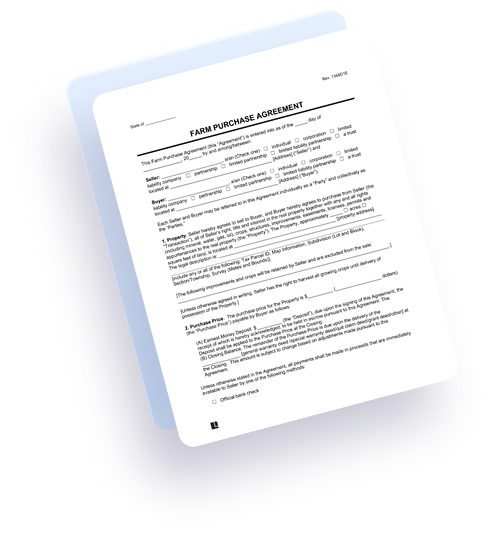
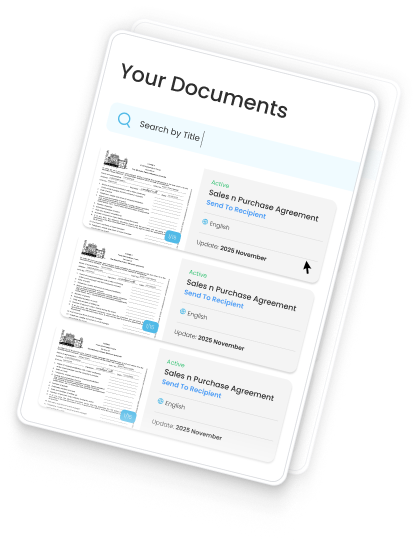
Sign it Please brings every step of the document signing journey into one powerful digital signature platform — letting you upload, build templates, collect signatures, track status, and store completed PDFs securely in one simple online workflow.

Legally-binding eSignature
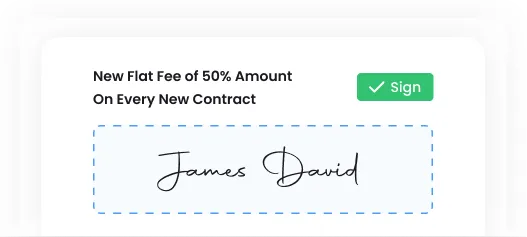
Collect secure, legally binding e-signatures that follow ESIGN, UETA, and eIDAS rules. Every signed PDF includes time-stamp and audit trail, proving identity and authenticity while removing printing, scanning, and unnecessary paper steps.

Company email and branding
Use your business branding, colors, domain email, and logo in signature invitations. Your documents feel more professional and trusted, leading to higher engagement, stronger brand identity, and more successful signed contracts completed online.


Invite Multiple Collaborators
Invite clients, partners, and team members to sign documents together in one secure online signing workflow. Multiple signers can sign in sequence or simultaneously to confirm approvals, agreements, or contract terms faster than traditional paperwork.

Rich Template Builder
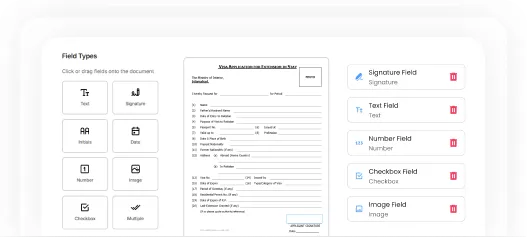
Create fillable PDF templates using drag-and-drop fields like signatures, text boxes, dates, and checkboxes. Save templates and reuse them anytime to avoid repetitive setup and speed up document signing workflows for HR, legal, sales and onboarding use-cases.
How it works
See exactly how Sign it Please simplifies the entire signature workflow from start to finish. Upload your PDF, place fields, invite collaborators, and instantly collect legally binding signatures online, no printing, scanning, delays, or technical setup required.

Upload Your Document
Upload your PDF and instantly convert it into a fillable signing form. No software installation or complex setup.

Place Fields
Drag and drop signature, name, date, checkbox, and text fields exactly where they are needed.

Publish Template
Publish your template and generate a secure, shareable signing link. Templates can be reused repeatedly, making digital signing faster.

Send To Recipients
Send your signing link to one or multiple recipients. They sign in from a mobile, tablet, or computer without an account.

Event Log
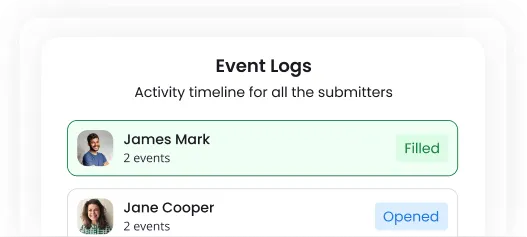
Track every action in your document lifecycle with a detailed event log. See when the document was created, edited, shared, viewed, and signed, giving admins full activity transparency.
Document Generated
When all required fields are submitted, the final signed PDF is generated and stored securely in your Sign it Please account. You can download it, share it, or store it for future reference.
Compare Plans
Choose the plan that fits your workflow best. Compare digital signature features, branding options, template limits, and team access so you can select the right online signing solution for your business needs and future document growth.
| Features | Professional Full access for minimum 10 users | Enterprise Full access for minimum 50 users |
|---|---|---|
| Mobile Scouting App (iOS & Android) | ||
| Web Dashboard | ||
| Expanded Homeowner Data | Ask Sales | Ask Sales |
| Custom Integration | Ask Sales | Ask Sales |
| Real Time Tracking |
Pricing that fits every budget
Whether you’re a freelancer, startup, small business, or enterprise team, Sign it Please offers flexible, affordable digital signature pricing. Choose the package that matches your usage so you can scale templates, branding, and secure document signings at your own pace.
Standard
For large teams, multi-region and franchise groups.
/ Month
- • Everything in Standard
- • Guided implementation & data migration
- • Admin controls and advanced permissions
- • Dedicated success manager
- • Custom integrations via webhooks/partners
- • Full-fledged CRM
- • Integrations: Salesforce, HubSpot, Google Calendar, Zapier, GHL
Professional
For large teams, multi-region and franchise groups.
/ Month
- • Everything in Standard
- • Guided implementation & data migration
- • Admin controls and advanced permissions
- • Dedicated success manager
- • Custom integrations via webhooks/partners
- • Full-fledged CRM
- • Integrations: Salesforce, HubSpot, Google Calendar, Zapier, GHL
Try it now for free
Start testing Sign it Please today and experience how fast and simple online document signing actually becomes. Create templates, collect legally binding signatures, and manage agreements securely.
Frequently Asked Questions
Below are the most common questions people ask before switching to Sign it Please. These FAQs help clarify how digital signatures work, how documents are stored, and how our secure online signing platform makes business approvals faster, easier, and more professional.